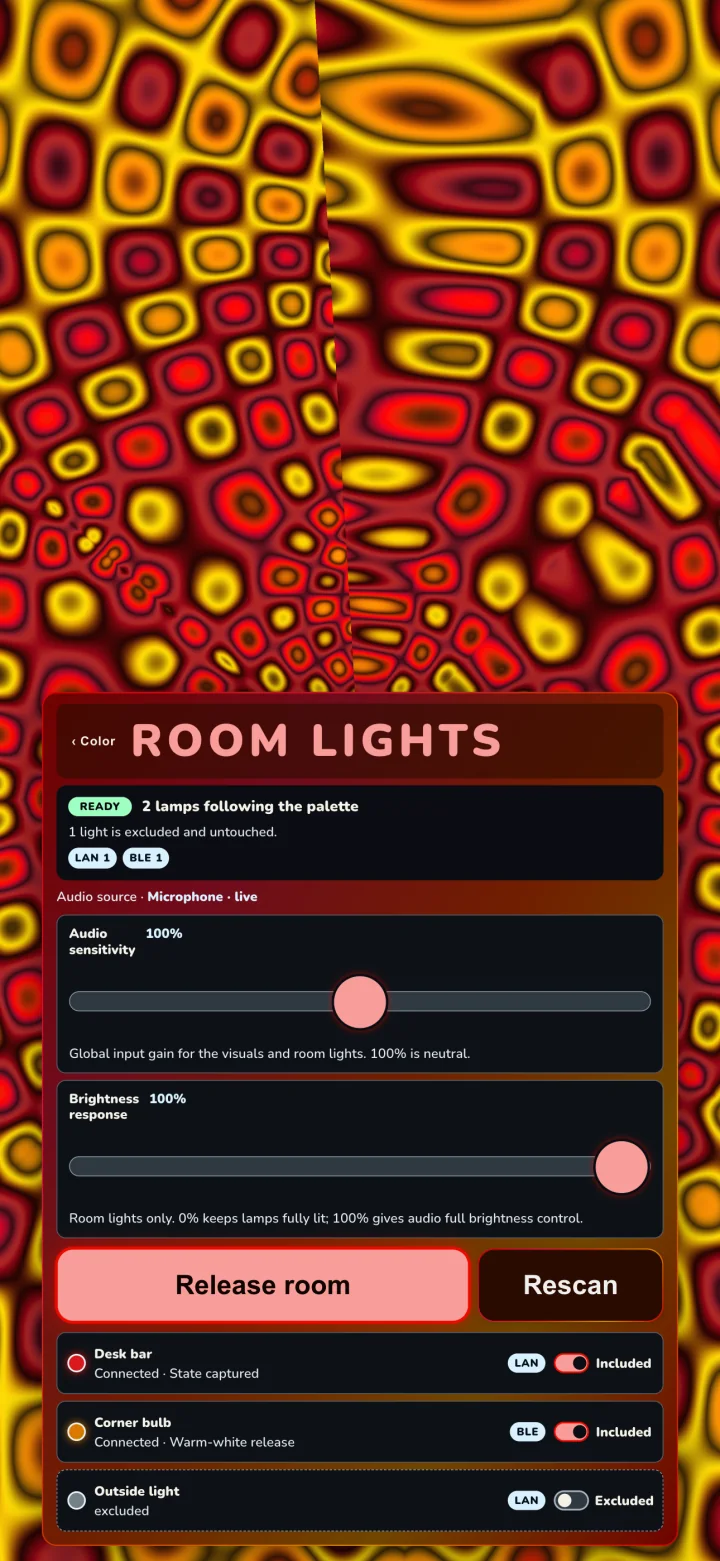
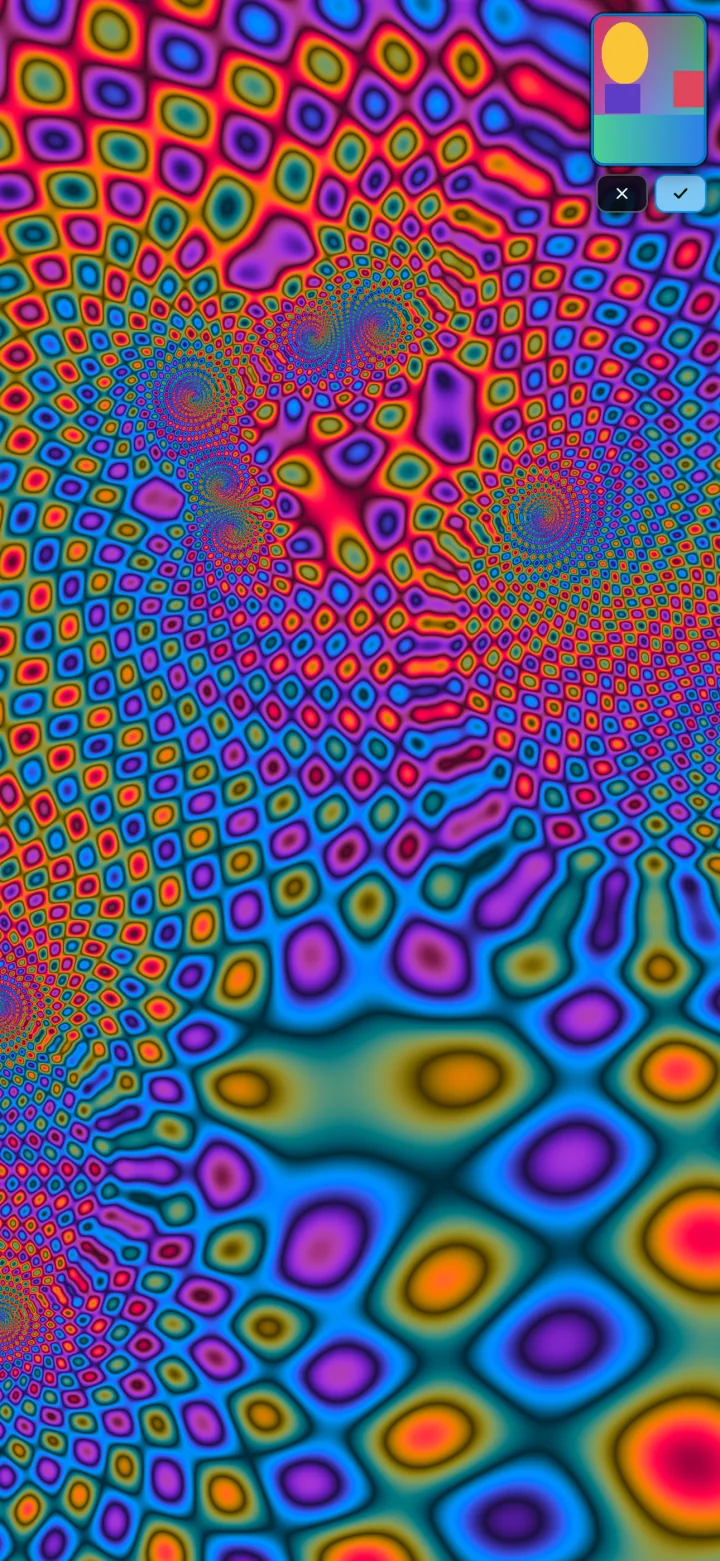
Psychodeli can direct a compatible Govee room as one light instrument. Each controlled lamp follows a color that is visibly present in the picture while brightness follows the music.
Prepare every Wi-Fi lampIn Govee Home, open each compatible Wi-Fi lamp you want Psychodeli to control and turn on LAN Control. Repeat this separately for every lamp and keep those lamps and your device on the same local network.
Open the roomIn Psychodeli App, tap the center, then choose Color → Lights.
Check compatibility—for freeFinding compatible lights is free and changes nothing in your room. Every supported Room Lights capability is included; Touch adds direct control over the room’s groove and brightness.
Choose the roomSwitch each discovered lamp to Included or Excluded. Included lamps collect at the top of the list; newly discovered lamps stay excluded until you choose them.
Start—and check the roomChoose Start room. If Psychodeli asks about an untested light, look at that light and choose Yes, keep it or No, use one colour.
Give lights backWhen you finish, choose Give lights back so lamps return to their captured or documented release state.
Included lamps rise to the top. A colored circle shows the color currently assigned to each controlled lamp.
Govee troubleshooting
If the room does not answer
Can I check my lights before unlocking?
Yes. Open Color → Lights and choose Find compatible lights. The scan is free, does not capture lamp state, and does not change any light. If a compatible lamp responds, you can use every Room Lights capability it supports without a purchase. Psychodeli Touch adds direct control over the room’s groove and brightness.
Do I enable LAN Control once or on every lamp?
On every compatible Wi-Fi lamp you want Psychodeli to control. LAN Control is a per-device setting in Govee Home, so open each lamp and enable it separately. Bluetooth-only lamps do not use this Wi-Fi setting.
How do Included and Excluded lights work?
Only Included lights join the controlled room. Included rows appear first; Excluded rows remain below them and are never captured, connected, or changed. If you change membership while the room is active, Psychodeli dims and locks the panel while it safely releases and rebuilds the room. This can take a few moments.
What does the colored circle mean?
A colored circle shows the picture color Psychodeli is currently assigning to that controlled lamp. It is outgoing control—not delayed hardware readback—and it does not preview the separate audio-driven brightness. Excluded, unavailable, and not-yet-controlled lights stay gray.
No compatible lights found
Confirm each lamp is powered, the phone or computer is on the same local network, and LAN Control is enabled separately on every Wi-Fi lamp you want to use. Some Govee models expose no supported local control; they will not appear even if Govee Home can control them through the cloud.
Local Network permission is off
Open the device’s Settings, find Psychodeli, enable Local Network access, return to the Room Lights panel, and scan again.
One lamp disappears or falls behind
Keep the lamp powered and nearby, then choose Rescan. Bluetooth lamps can lose a weak connection; Wi-Fi lamps may be isolated by guest-network or router settings.
My light went dark when the room started
Open Color → Lights and choose No, use one colour for that lamp. Psychodeli releases the untested moving-color path immediately and remembers whole-lamp color for future sessions. Use Try moving colour again on the lamp row if you want to re-check it later.
The lamps are connected but barely react
Confirm Psychodeli App has a live audio source. Raise Audio sensitivity to strengthen the shared visual-and-light input, or raise Brightness response to give the lights a larger musical range.
What happens when I release the room?
LAN lamps return to their captured state. Bluetooth models that cannot report their prior state use the release behavior named in the lamp row, such as Warm-white release.
Advanced features
Five ways to take the wheel
Vibe sets the rules of the scene. Perform lets you play it. Camera Color brings in colors from the world. Seasonal sets give the palette a world to move within. And moving the phone itself feeds the performance.
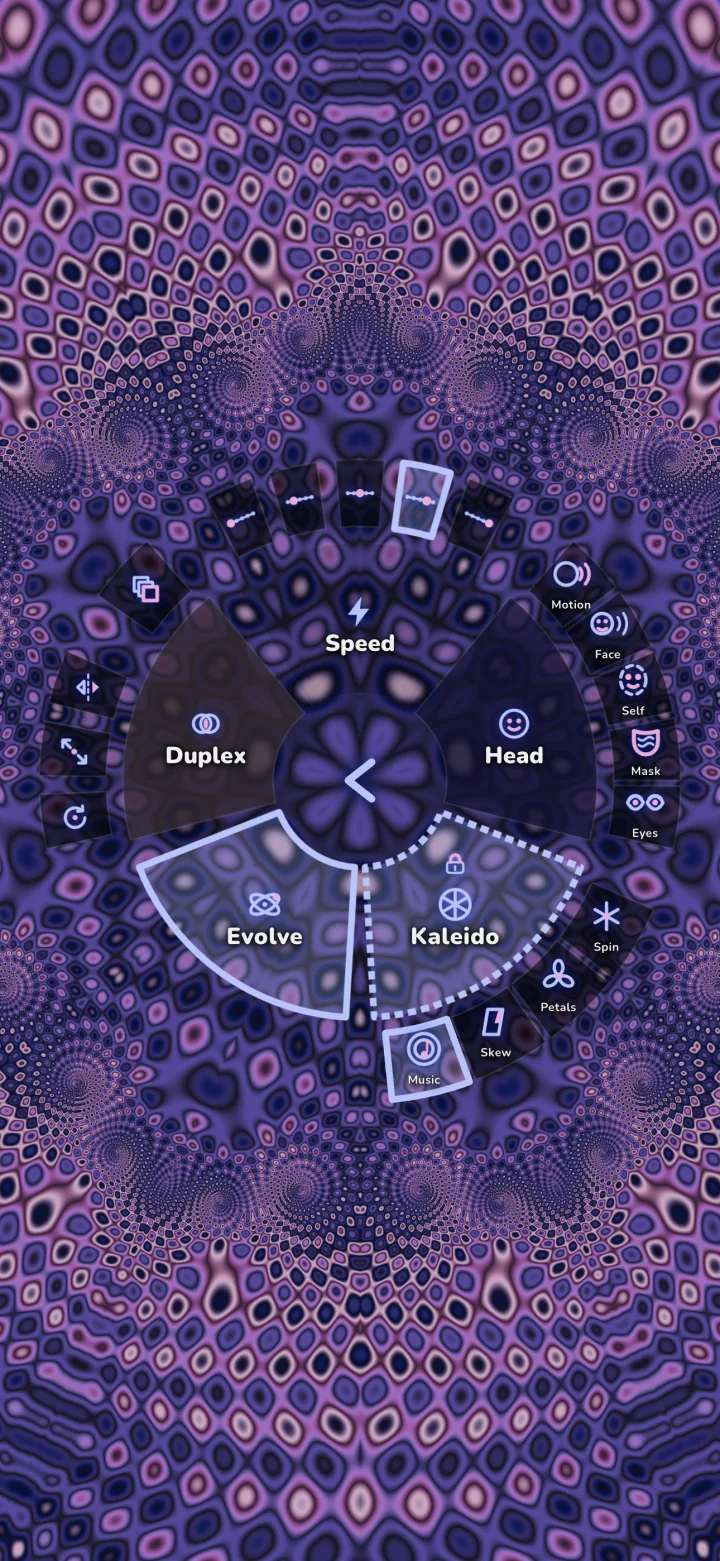
The Vibe ring keeps scene-wide choices in one place.
Vibe · Included
Set the rules of the scene.
Tap the center, then choose Vibe. This is where you decide how the visual should behave—not merely which effect should flash next.
Speed
Choose the felt pace, from Turtle and Mellow through Full and Fast.
Head
Let movement or facial presence enter the visual. Additional Head modes appear around the wedge.
Kaleido
Choose the symmetry grammar: Spin, Petals, Skew, Music, and related styles.
Evolve
Hand scene choices back to the musical director.
Duplex
Layer a second visual voice with Rotate, Zoom, or Mirror behavior.
Perform · Psychodeli Touch
Play the visual like an instrument.
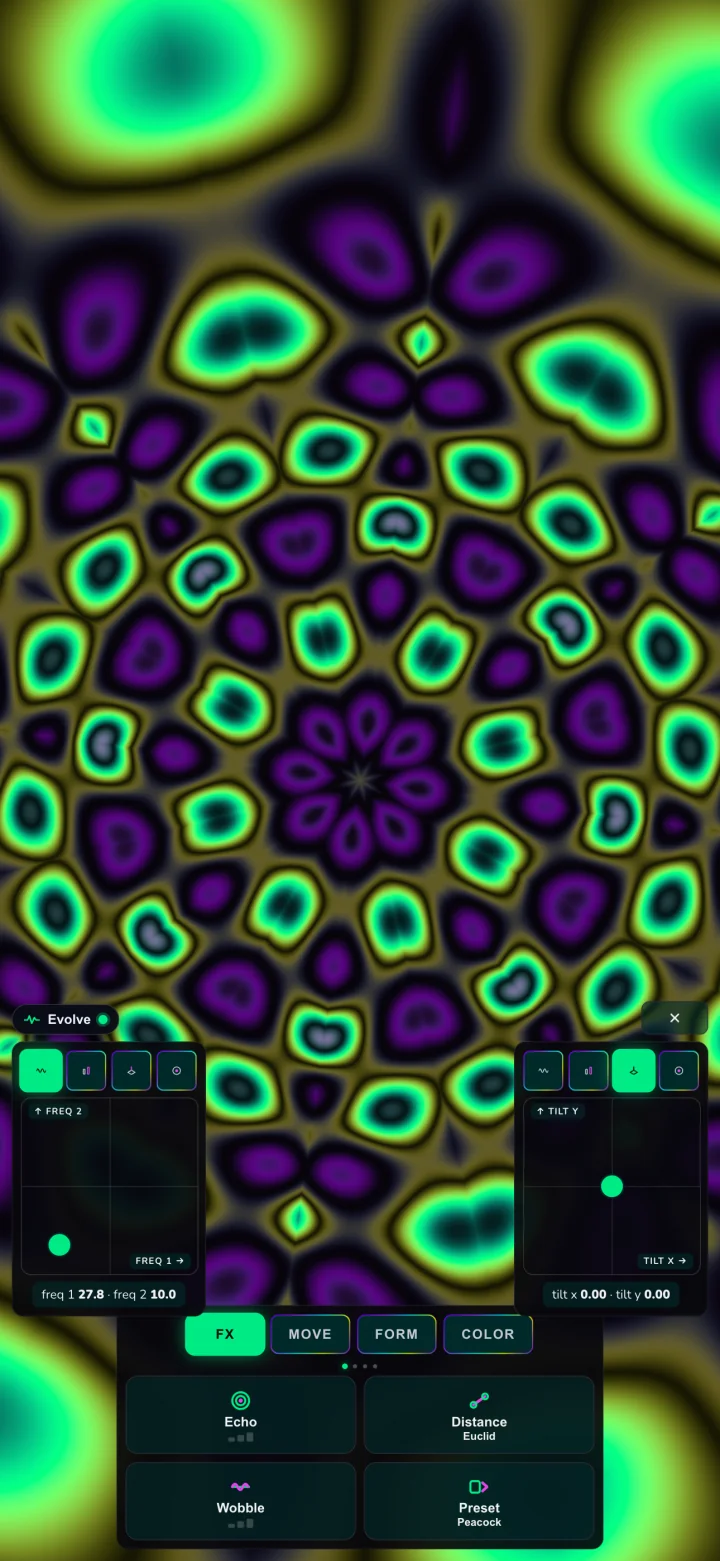
Open the center menu, choose Demo → Perform, then leave the upper canvas alive while your thumbs shape the scene below.
Two live pads scrub visual dimensions that ordinary gestures do not own.
FX holds immediate moves such as Echo, Distance, Wobble, and Preset.
Move shapes speed and spin.
Form changes wave, kaleidoscope, tunnel, nodes, and fold structure.
Color opens palette performance and color controls.
Tip: Perform adds manual authority without permanently dismantling the director. Close the deck when you want the full visual field back.
The upper visual stays playable while the deck is open.
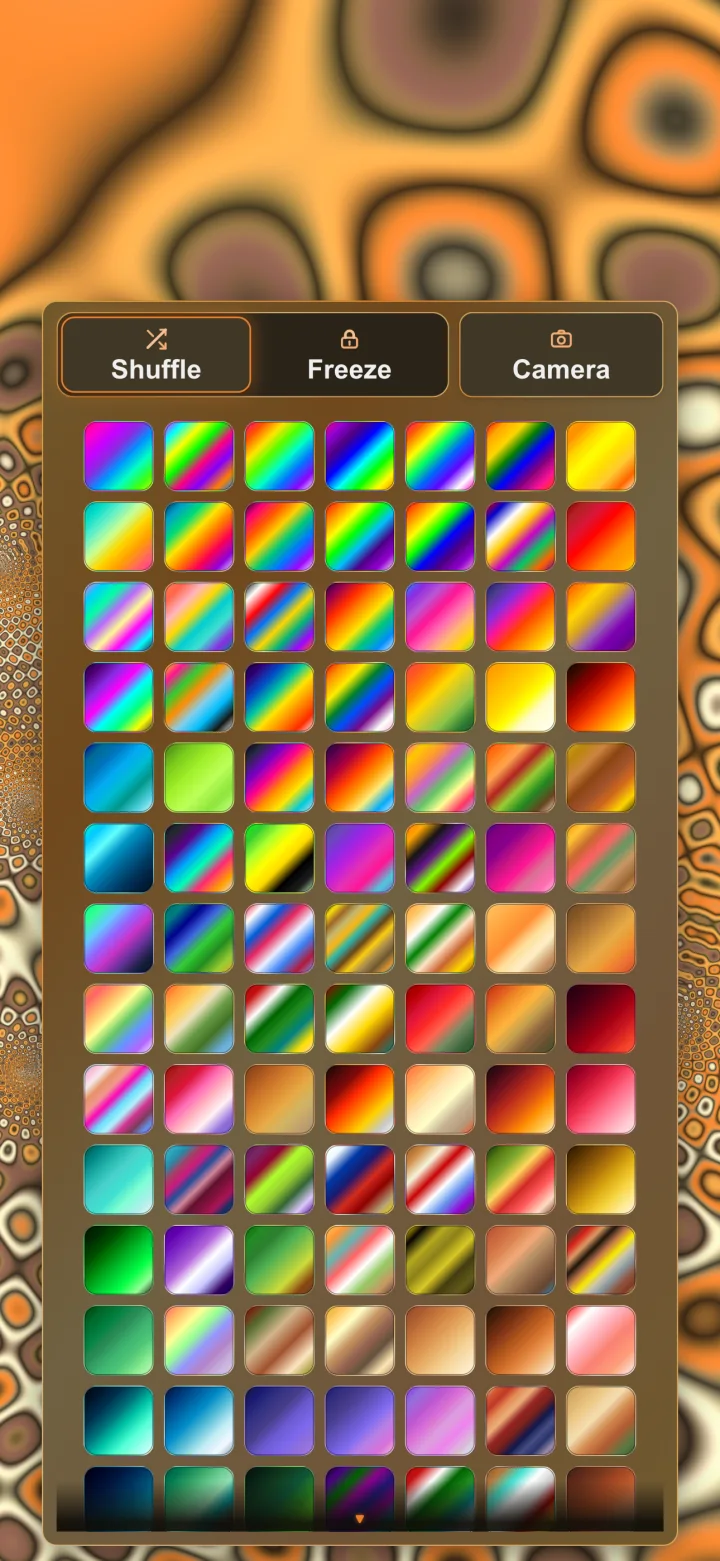
Color → Camera starts the scanner.Keep or discard—nothing is silently committed.
Camera Color · Psychodeli Touch
Point at a color. Enter its world.
Camera Color is optional. Tap the center and choose Color → Camera when you want it, then point at a room, record sleeve, fabric, garden, or sunset. Camera access starts only after that choice, and the visual repaints as you move.
ScanPan slowly until the palette feels right.
KeepTap the check mark—or the canvas—to save and freeze that palette.
DiscardTap the × to restore the palette you had before scanning.
ReturnSaved camera palettes reappear in Color with their camera marker.
Camera frames are processed on-device and are not sent to a server.
Motion · Included
The phone is part of the instrument.
Psychodeli feels how you move. Movement raises the energy of the performance the way a livelier room does — it is a lift, not a steering wheel, so a jostle on the bus will not throw the picture around.
MoveRock, walk, or wave the phone and the visuals gain energy. Hold still and they settle again.
ShakeA vigorous shake jumps the scene to a dramatic new look. There is a three-second pause before another shake counts, so a bumpy pocket cannot spin the picture.
Turn it offTap the center, choose Reactivity, and switch Motion off. It is on by default.
Motion is read on-device and is never recorded or sent to a server. In the app it needs no permission prompt; on the website, iOS asks once before motion can be used.
General troubleshooting
Get back to the show
Start with the symptom you can see. The app’s current state is better evidence than guessing which subsystem failed.
The visual moves but does not react to music
Open Reactivity and confirm an audio source is live. On desktop, choose System, Mic, or File. In a browser or native mobile build, allow microphone access when prompted. Then open Live EQ and confirm the meters are moving.
Camera features are unavailable
Allow camera access in system settings, return to Psychodeli App, and try again. Head tracking and Camera Color use the same physical camera but serve different purposes: one reads movement; the other samples color.
Perform or Camera Color shows a lock
Those features are part of the one-time Psychodeli Touch unlock on gated platforms. Use Restore Purchases if you already bought it with the current store account.
Seasonal palettes are visible, but Freeze set is missing
Browsing and choosing seasonal palettes is included. Freeze set—the control that keeps automatic rotation inside one seasonal collection—is part of Psychodeli Touch on gated mobile platforms. Restore Purchases if you already own Touch. On Desktop and the full desktop web experience, the control is included.
The app shows a black or frozen screen
Force-quit and relaunch first. If it returns, include your device model, OS version, app version, and what you were doing immediately before the screen stopped when you contact support.
Still stuck?
Tell us what happened.
Email psychodeli.app@gmail.com with your device, OS, app version, and the exact message on screen. For Room Lights, include the Govee model number and whether its row said LAN or BLE.
This inbox also supports PsychoDeli for macOS and Apple TV, Pixelbop, EQ, and Kaleidotoke.
Apple TV and older app help
For Apple TV audio input, keep the paired iPhone on the same Wi-Fi, signed into the same Apple ID, with Bluetooth enabled. Check camera or microphone permission under Apple TV Privacy settings. Purchases can be restored using the same Apple ID that bought the unlock.